Rav-Kav card — top-up and balance check
The Rav-Kav card for the light rail and public transport in Gush Dan: how much it costs, where to buy it, how to top up the balance, how to check the remaining balance and how long it is valid.
Ticket price
Single ride
Minimum top-up
Validity
What is a Rav-Kav card?
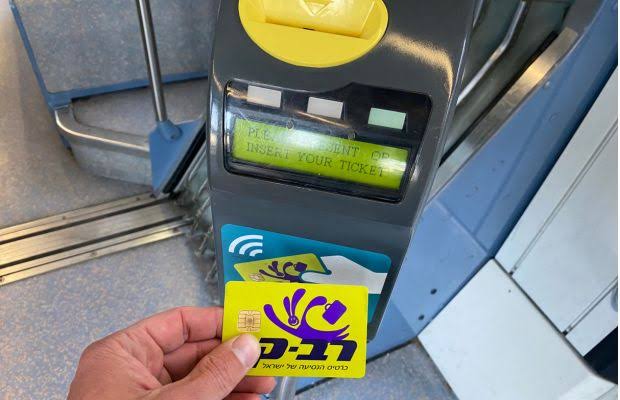
The Rav-Kav card is Israel’s national public transport ticket. A contactless smart card loaded with balance or a monthly profile, used at light-rail gates, on buses, on the Metronit and on Israel Railways — one system for all public transport.
An anonymous card is bought for ₪5 (anonymous card), and a registered (personal) card is free. The minimum top-up is ₪5, and the card is valid for multi-year and can be reloaded without limit.
When the card is tapped at the gate, a single-trip fare is charged — ₪8 per trip in Gush Dan — granting free transfers between buses and the light rail for 90 minutes. That is, you are charged once per journey, not per segment.
Rav-Kav card
How do you get a Rav-Kav card?
Choose an anonymous or registered card
An anonymous card is bought for ₪5 (anonymous card) and allows top-ups and occasional rides. A registered (personal) card is issued free of charge and is required for a discount profile and balance recovery.
Get the card
An anonymous card from a TVM at any Red Line station or from a point of sale. A registered card — at a Rav-Kav service point with photo ID, or virtual in the app.
Top up at least ₪5
Top up balance or a "stored-value fare" at a TVM, at a counter, or remotely in the Rav-Kav Online app (NFC).
If eligible — load a discount profile
Youth, students, senior citizens (65+), people with disabilities and benefit recipients are entitled to a reduced fare. The profile is loaded once at a service point on presentation of the appropriate document — it is not available on an anonymous card.
How do you load balance onto a Rav-Kav card?
You can top up the Rav-Kav card both remotely in the app and at machines and counters — these are the official channels.
Where can you top up?
- The Rav-Kav Online site and app — NFC top-up, pay by card
- The Rav-Kav (HopOn) app — remote top-up
- Ticket vending machines (TVMs) at Red Line stations
- Service counters, kiosks and authorised sales points
- A virtual card in the apps (HopOn, Moovit, Pango) — monthly billing
How do I check the balance?
- The Rav-Kav Online app — tap the card to your phone's NFC (ravkavonline.co.il)
- The Rav-Kav (HopOn) app — top up and read the balance
- Ticket vending machines (TVMs) at every Red Line station
- Service points and Rav-Kav counters
- The validators on board the buses
How do you check the balance on a Rav-Kav card?
Rav-Kav Online app (NFC) — the easy way
Hold the card to the back of your phone in the Rav-Kav Online app to read the balance and top up instantly. Works on NFC-enabled phones.
TVM at the station
Hold the card to the top-up machine at any Red Line station; the screen will show the balance, and you can top up from there.
On-board bus reader / service desk
When you board a bus, the balance is shown on the card reader, and at a Rav-Kav service desk you can check and top up.
Rav-Kav hotline — *8787
The service hotline helps with questions about the card, its balance and recovery (for a registered card).
Rav-Kav balance tracker
A personal tool to track your balance between rides: enter the balance you last read, and subtract a ride each time you travel. Everything is stored in your browser only — nothing is sent to us or to the operator.
Recent actions
🔒 Your balance and log are stored only in your browser (localStorage). Nothing is sent to us or to the operator. This is a personal helper tool and not an official balance check.
Bookmark this site before your next trip
We keep telavivmetro.org with every change — to operating hours, fares, service disruptions or any important announcement about the Gush Dan light rail and metro. Save this page and check it before you travel to stay up to date.